



How to register for the Co-op app (for students, new registration)
★Steps to use★
1. How to register yourself
① Set a password.
" here " and authenticate your email address.
*This is the email address you registered when you joined the co-op, but if you want to change it, please refer to
 here
here
②Enter the authentication code and set a password.
Enter the authentication code sent to the registered email address, and
when the screen changes, set a password.
2. Download the app
Please download the app!

3. Configure the app
① Sign in
After launching the app, click "Sign in" and sign in using your registered email address.
*Do not log in with a social account.
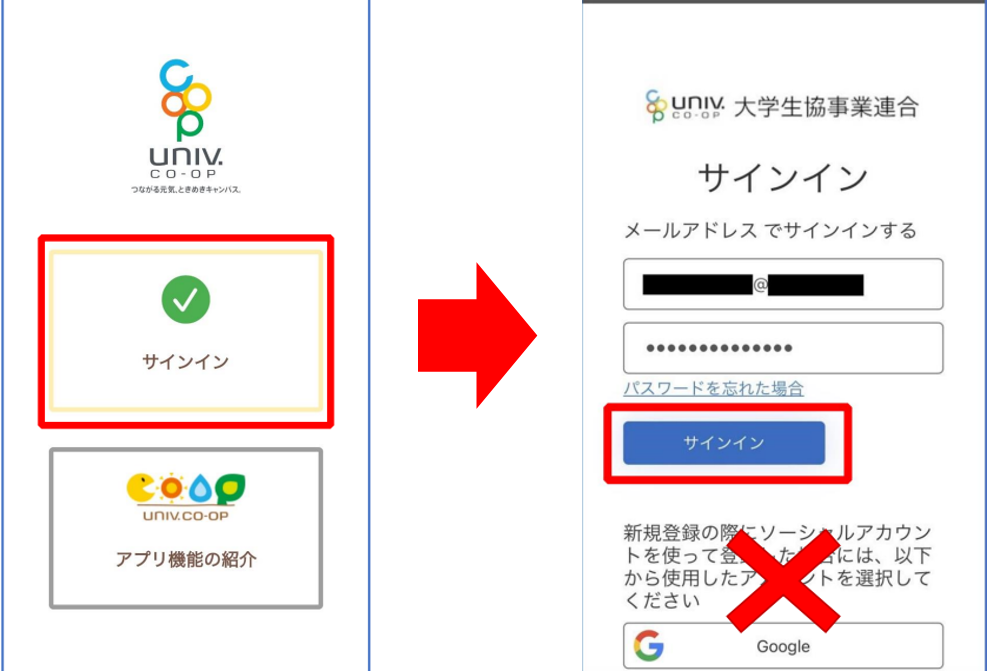
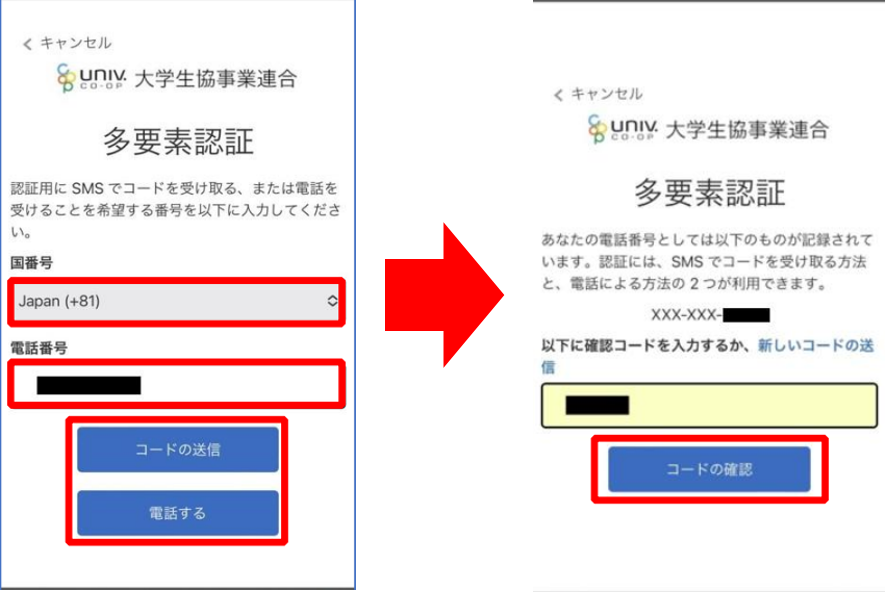
② Multi-factor authentication
: For multi-factor authentication, we ask you to authenticate with your phone number.
③ Initialize the app
. Set up the app to use Co-op Money.
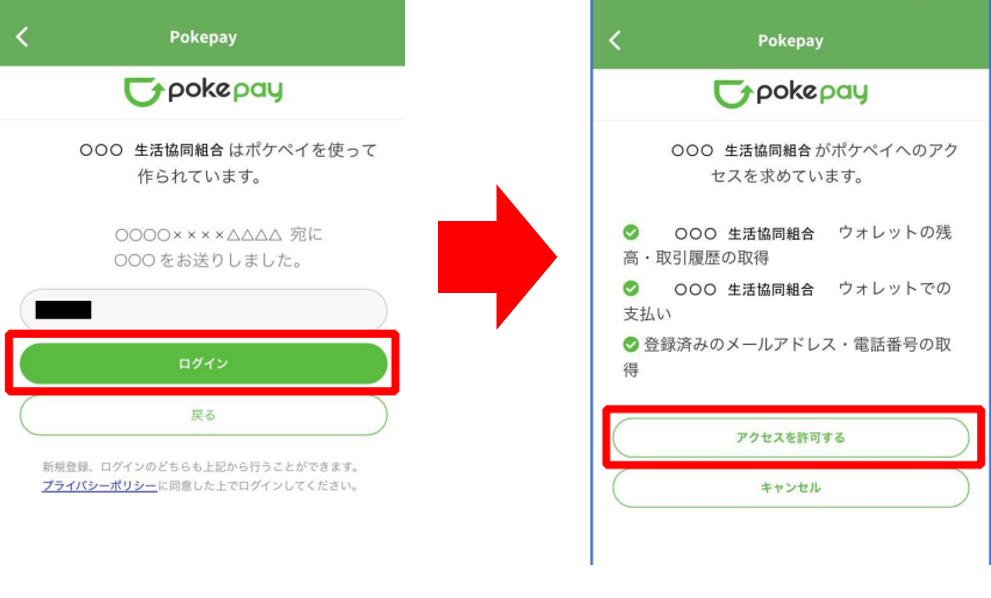
Launch the app, select "Use payment function," and
authenticate with your mobile phone number and email address.

to log in to Pokepay
, then click the "Allow access" button.
⑤ Register additional information
Select "Set" for additional information and authenticate using the authentication code displayed in the app.
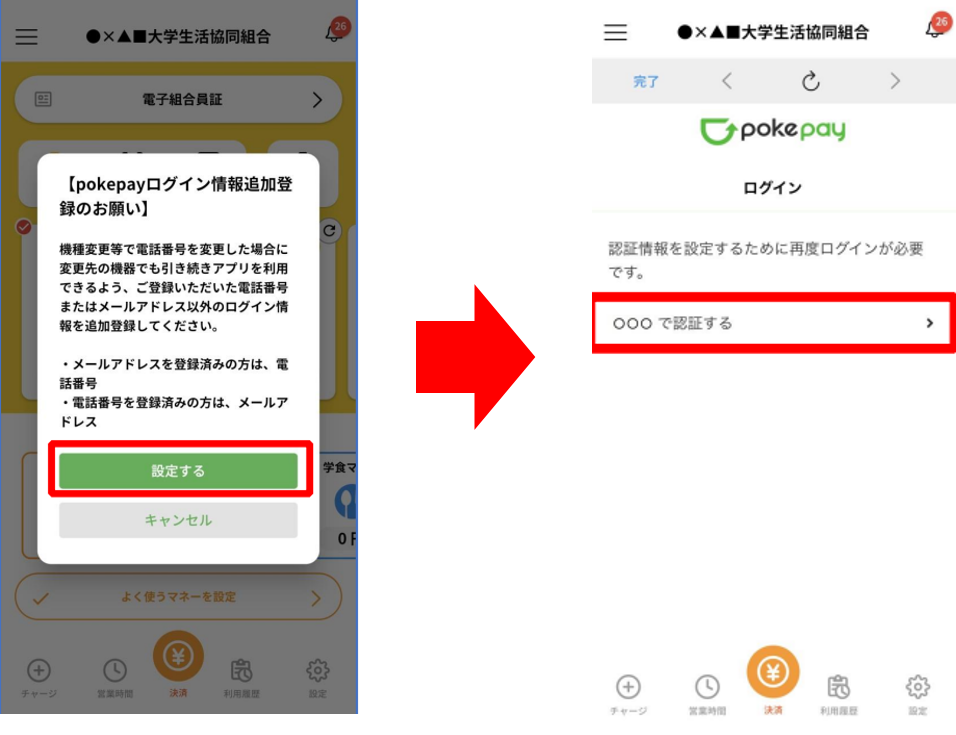
⑥ Edit additional or revised information.
Select the item you want to add or change, and follow the on-screen instructions to set up your authentication information.
If there are no issues, press "Complete" and "Payment" to finish.
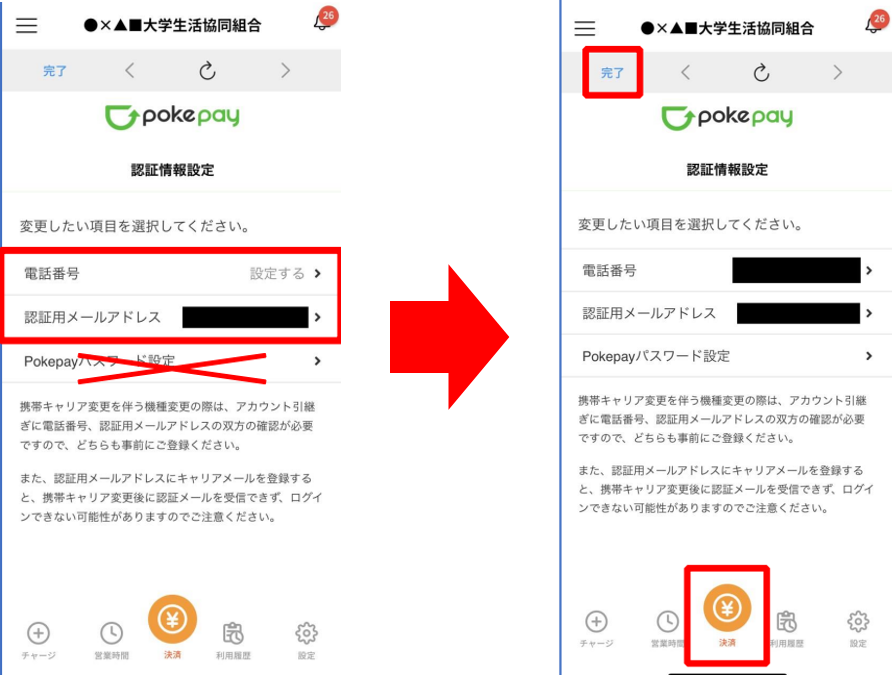
This completes the setup for using the app!
Please refer to the link below for basic usage information.
Change the registered email address
① Access " here " and confirm your date of birth.
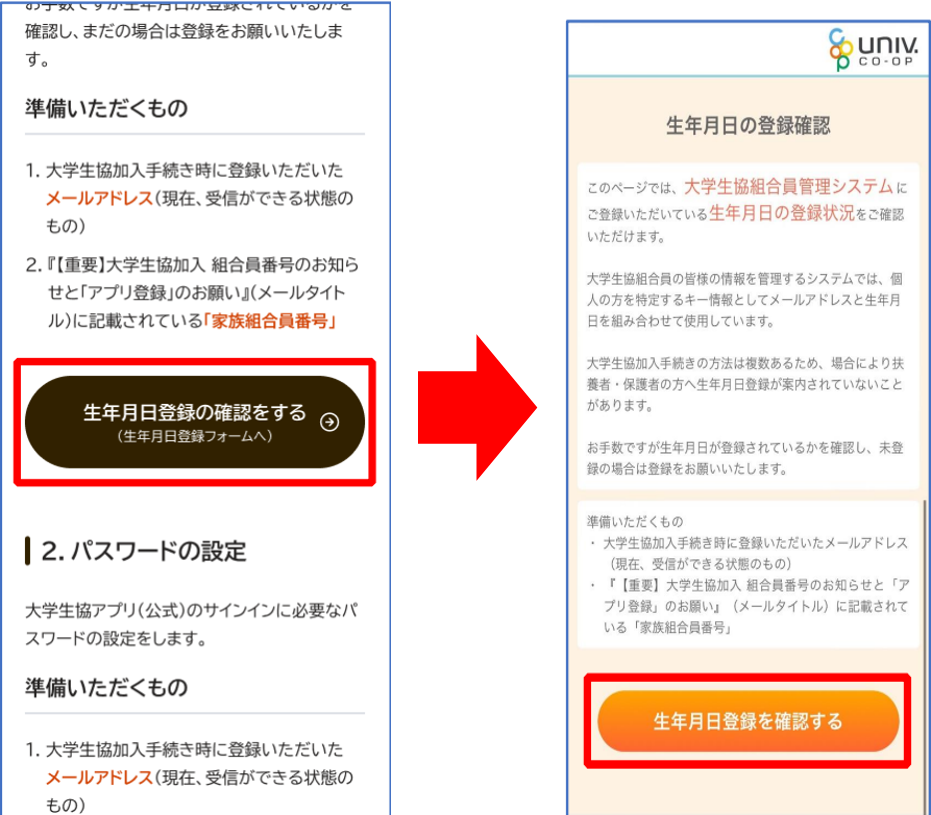
② Enter your membership number and registered email address and we will send you a passcode.
*Your membership number will be listed in the payment completion email.
③A passcode will be sent to your registered email address, so please confirm the passcode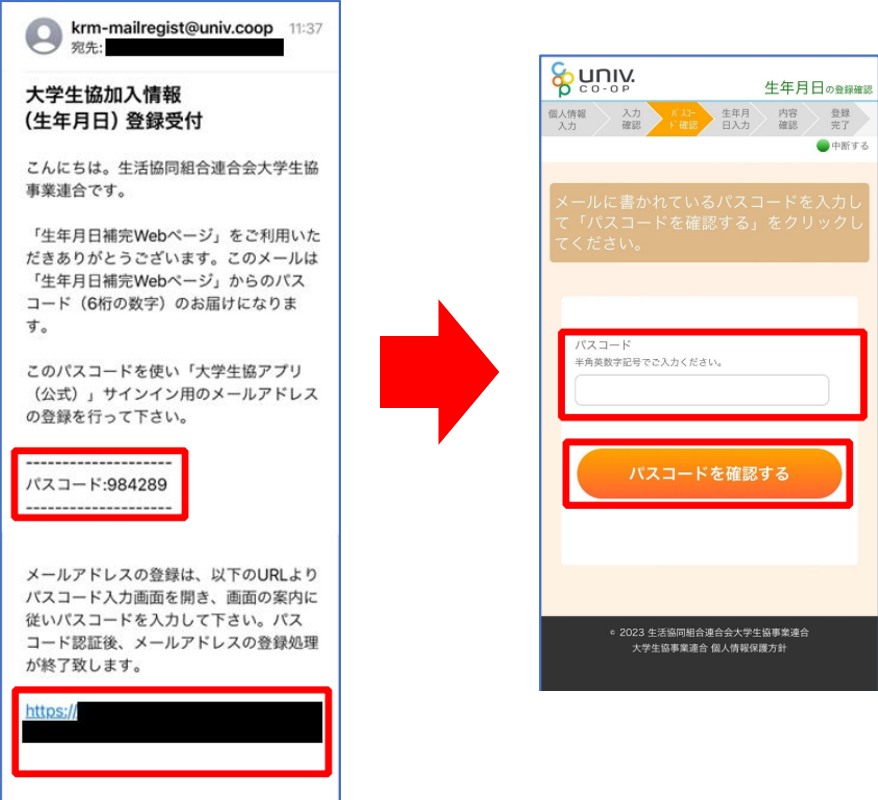
④ Go to " here ", enter your membership number and date of birth, and search for your registered email address.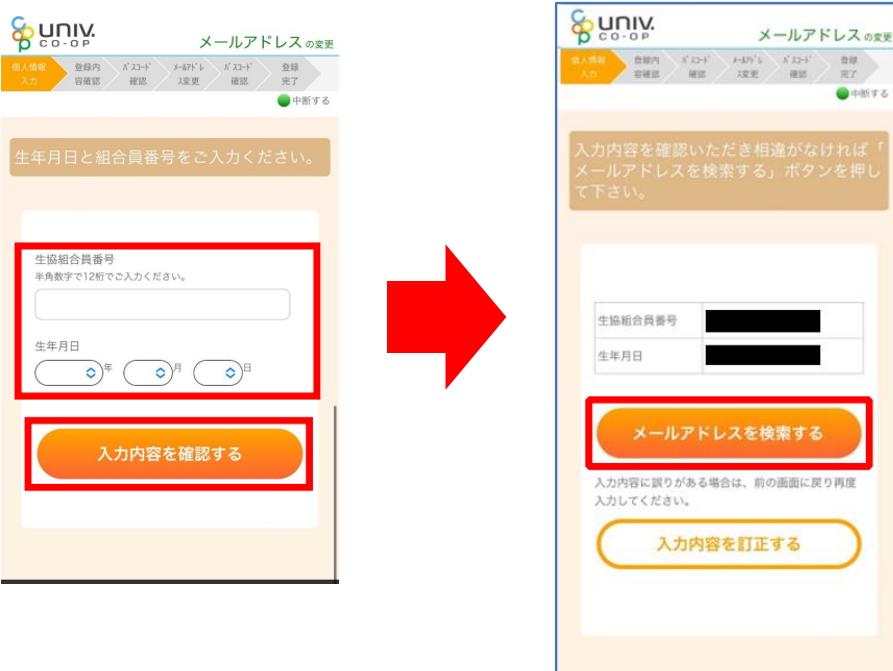
⑤Check the displayed email address and enter the email address you want to change

⑥ Check the passcode sent to you and go to the passcode entry screen using the URL at the bottom of the email.
After entering the passcode, the email address change will be complete.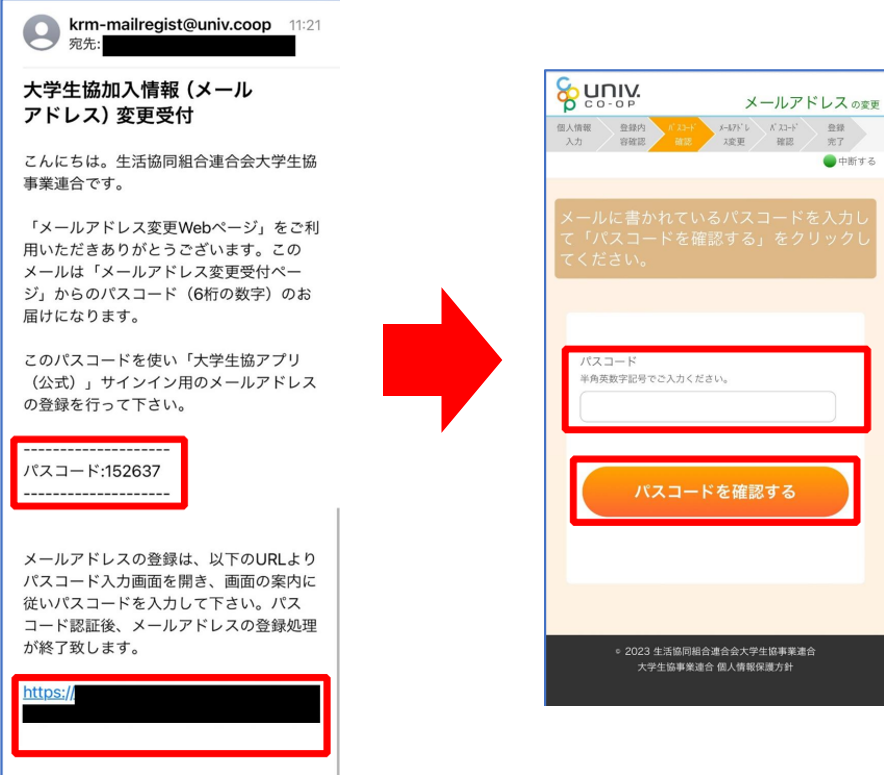
4. Inquiries and when you have problems
- Inquiries regarding app errors If you receive an error when signing in after signing up for the app (portal registration), please submit a request using the app error request form. *To sign up for the app, you will need the email address registered as your member information. If you receive an error even when using the correct address, please submit a request using the form.
- <App error report form> https://text.univ.coop/wfm_utcoop/app_error_2
- For inquiries
other than app errors, such as those who are unable to use the app or Gakushoku Money due to device issues, or those who are unable to confirm the transfer of remaining funds from the Gakushoku Pass, please contact the Member Center by email.
University of Tokyo Consumer Co-op Member Center
Email: sosen@mail.utcoop.or.jp
